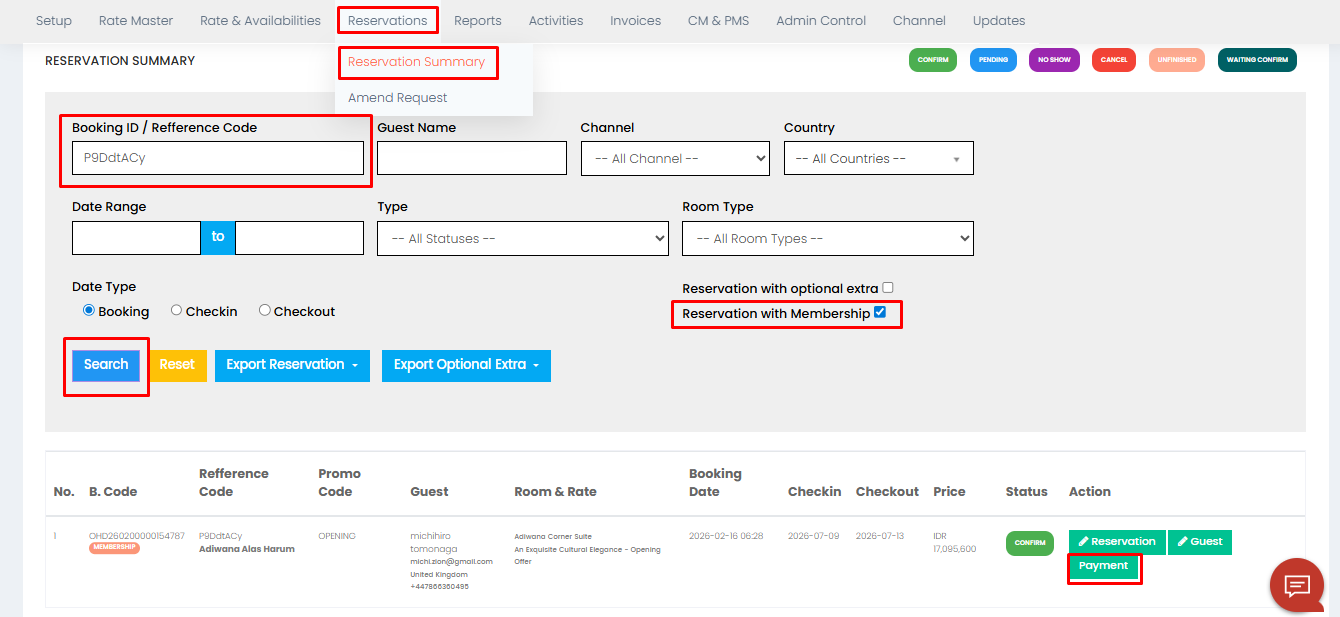
1. Masuk ke BE pilih menu Reservations - Reservation Summary - Masukkan Booking ID atau bisa disesuikan berdasarkan kolom yang tersedia - tick pada bagian Reservation with Membership - klik Search - klik Payment pada reservasi yang ingin di Sync Log.
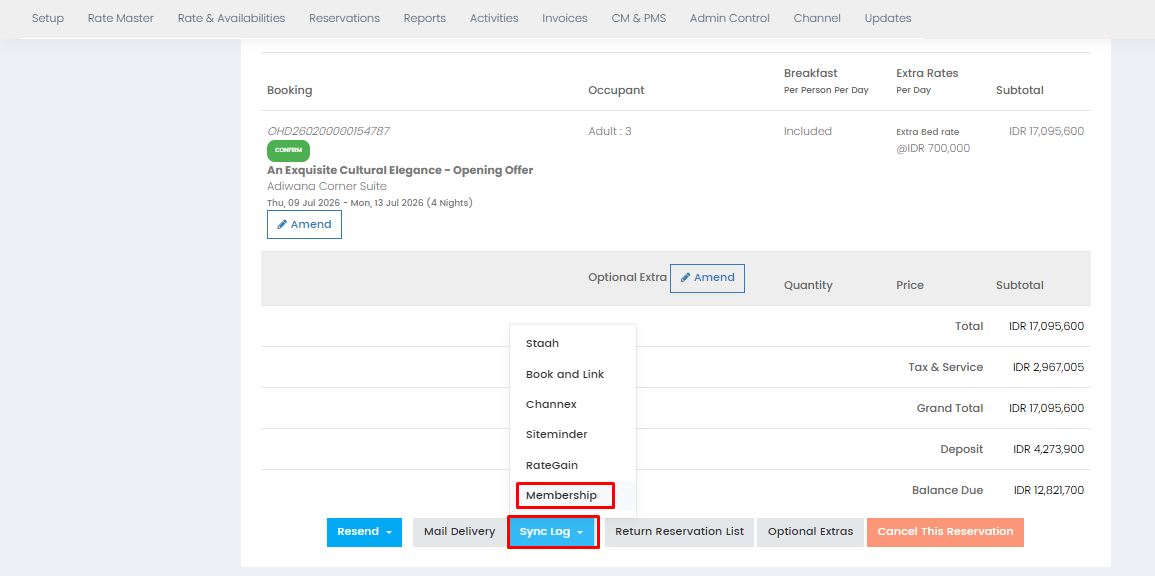
2. Scroll ke bawah kemudian klik Sync Log - Membership.
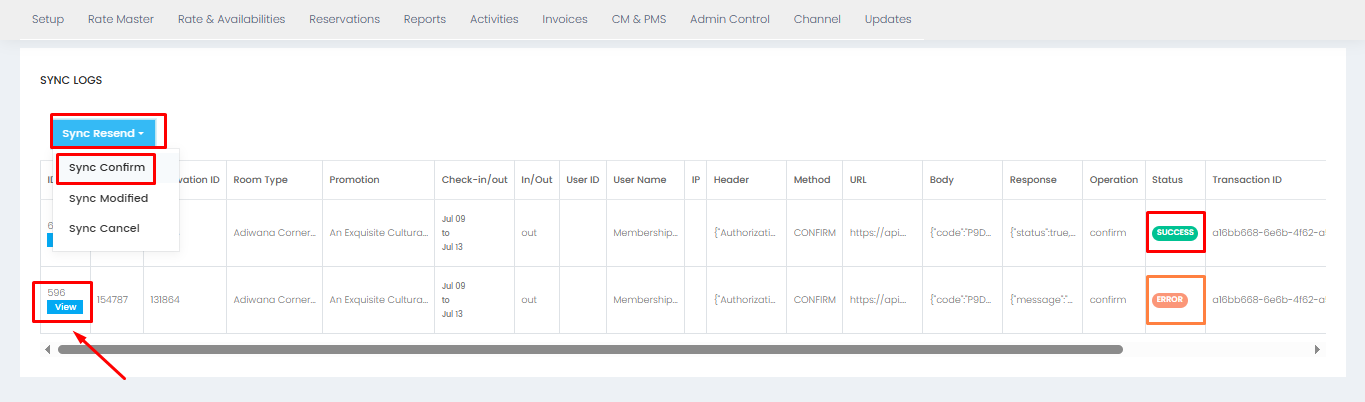
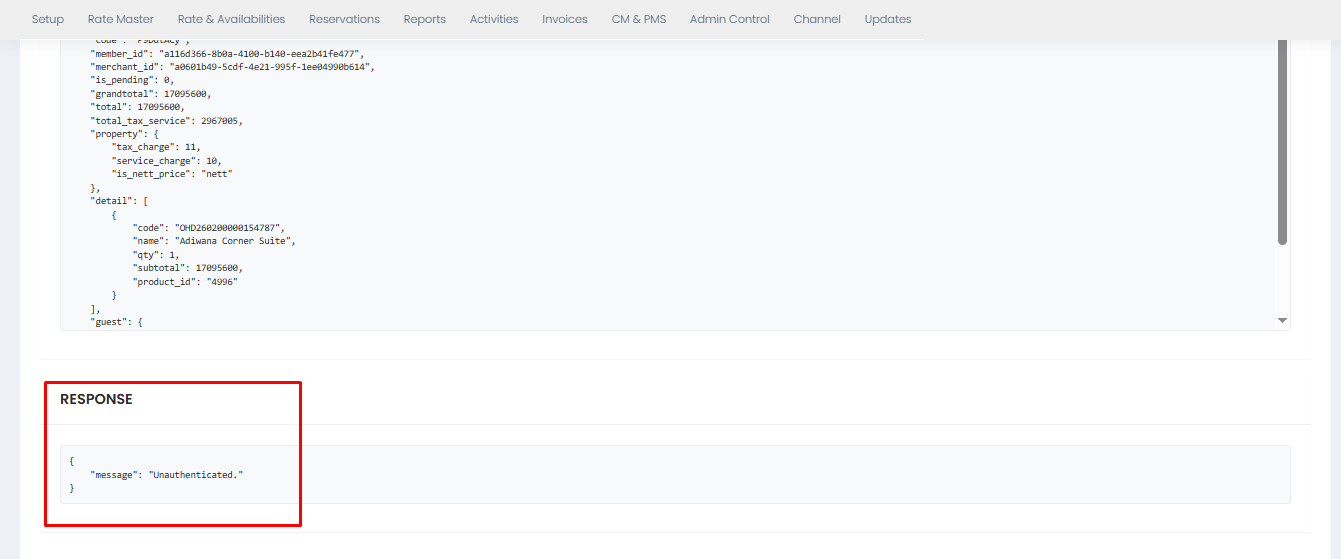
3. Kemudian klik Sync Resend - Sync Confirm. Apabila statusnya "Success", artinya reservasi sudah masuk di dashboard Membership namun untuk memastikan dari sisi property perlu double check kembali pada dashboard Membership nya. Namun apabila statusnya "Error", bisa dibantu klik "View" kemudian scroll ke bawah untuk melihat "Response" dari keterangan "Error" tersebut.
Was this article helpful?
That’s Great!
Thank you for your feedback
Sorry! We couldn't be helpful
Thank you for your feedback
Feedback sent
We appreciate your effort and will try to fix the article