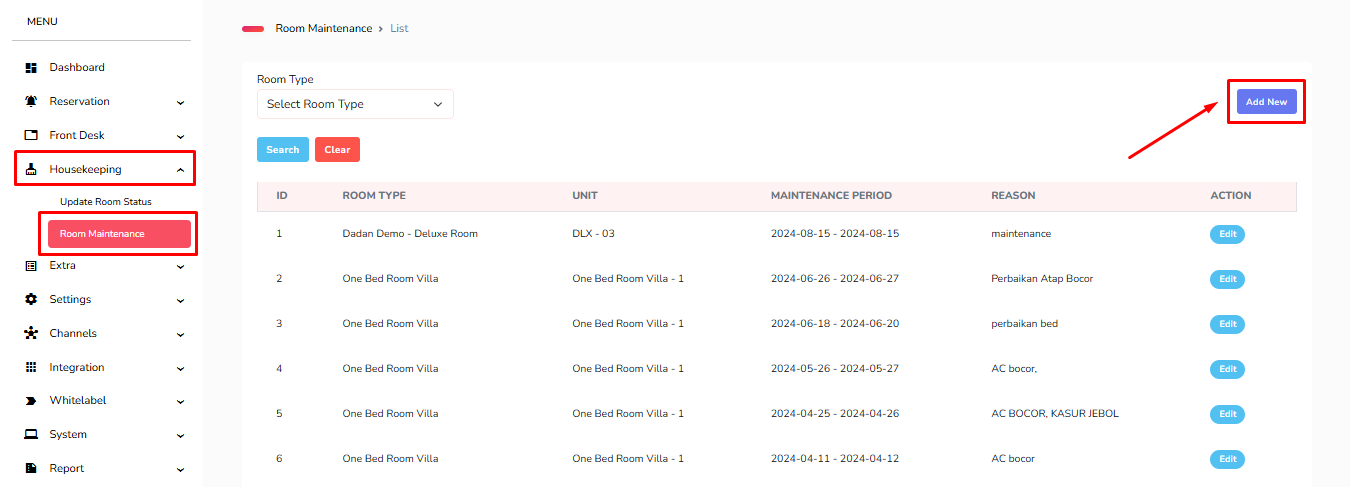
1. Masuk ke menu Housekeeping - Room Maintenance - Add New.
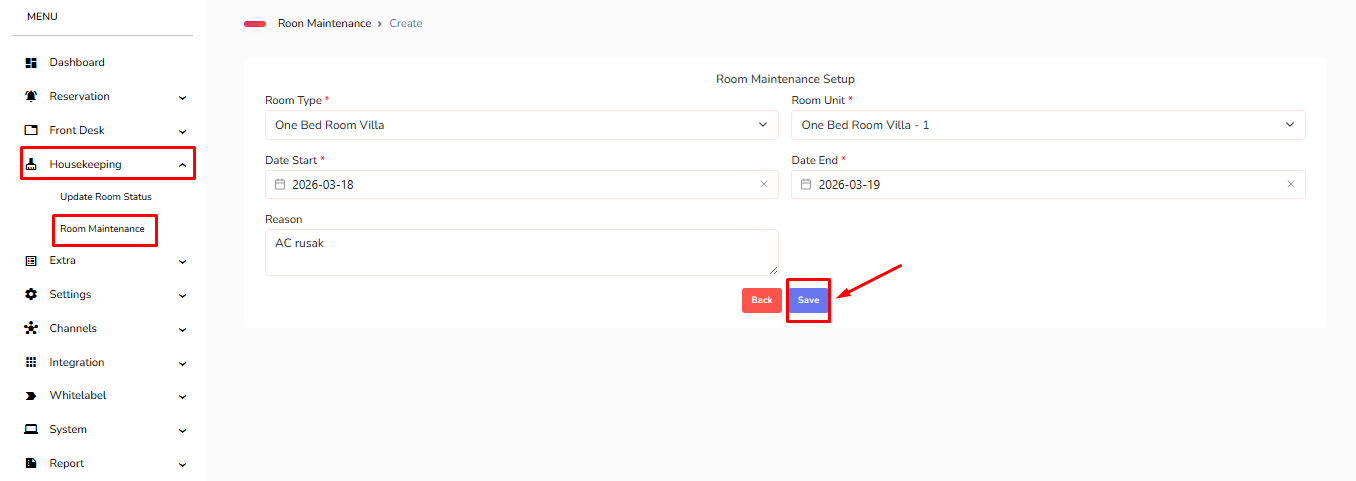
2. Kemudian sesuaikan kembali untuk Room Type, Room Unit, Date Start, Date End dan Reason. Jika sudah di isi semua klik Save.
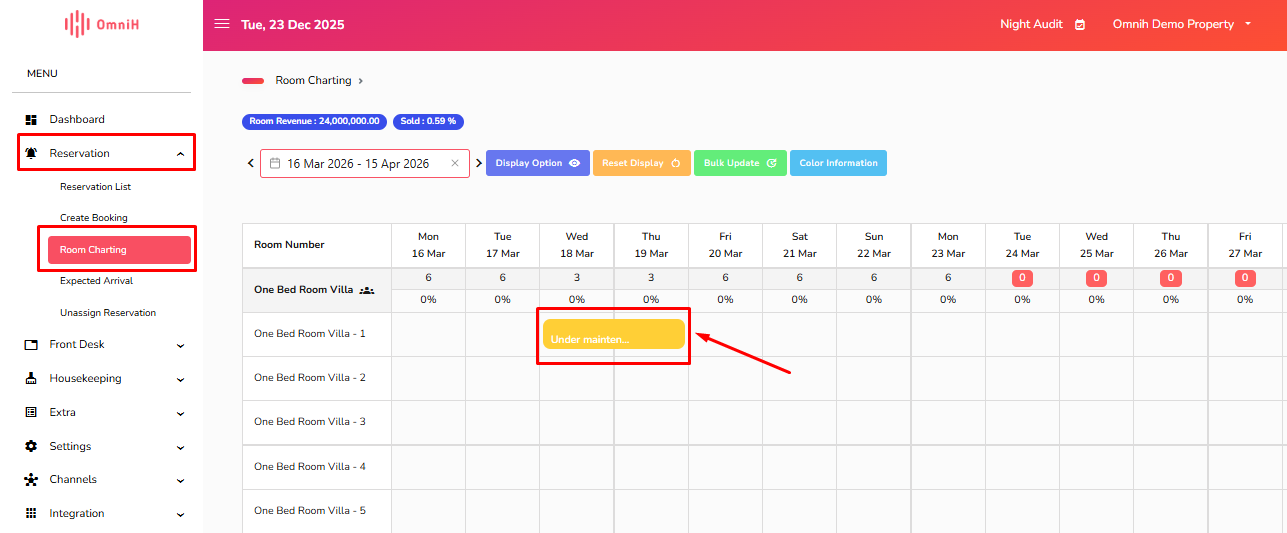
3. Untuk double check Room Maintenance yang telah di setting, masuk ke menu Reservation - Room Charting. Apabila pada room unit block berwarna kuning artinya Room Maintenance aktif ditanggal tersebut.
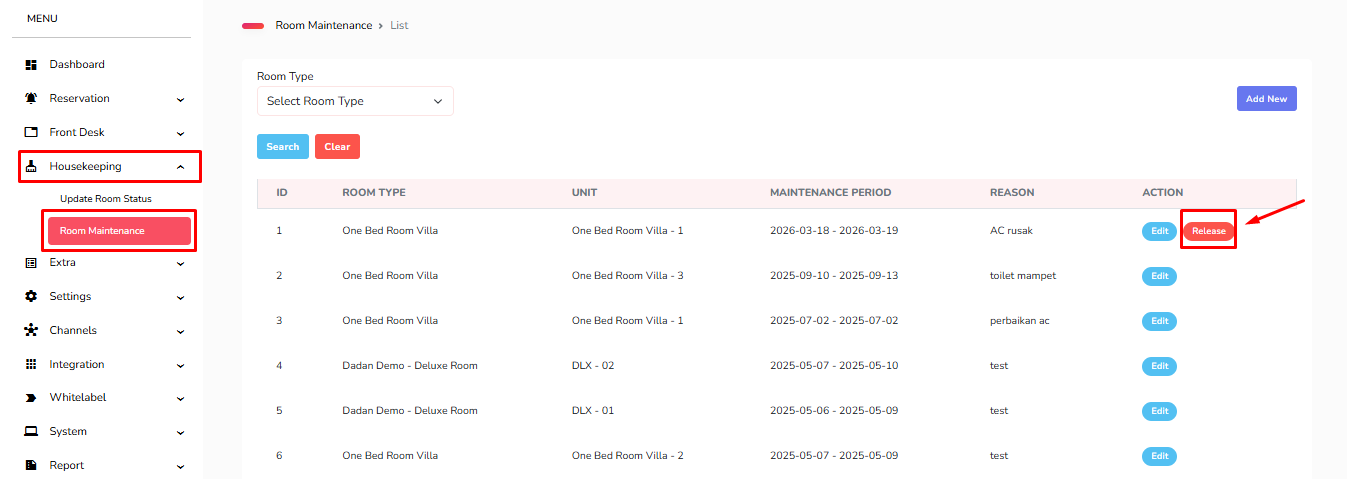
4. Kemudian untuk melakukan release Room Maintenance, silahkan masuk ke menu Housekeeping - Room Maintenance - klik Release. Sebagai catatan tombol Release tersebut tidak akan muncul apabila sudah melewati Maintenance Period (tanggal Room Maintenance).
Was this article helpful?
That’s Great!
Thank you for your feedback
Sorry! We couldn't be helpful
Thank you for your feedback
Feedback sent
We appreciate your effort and will try to fix the article