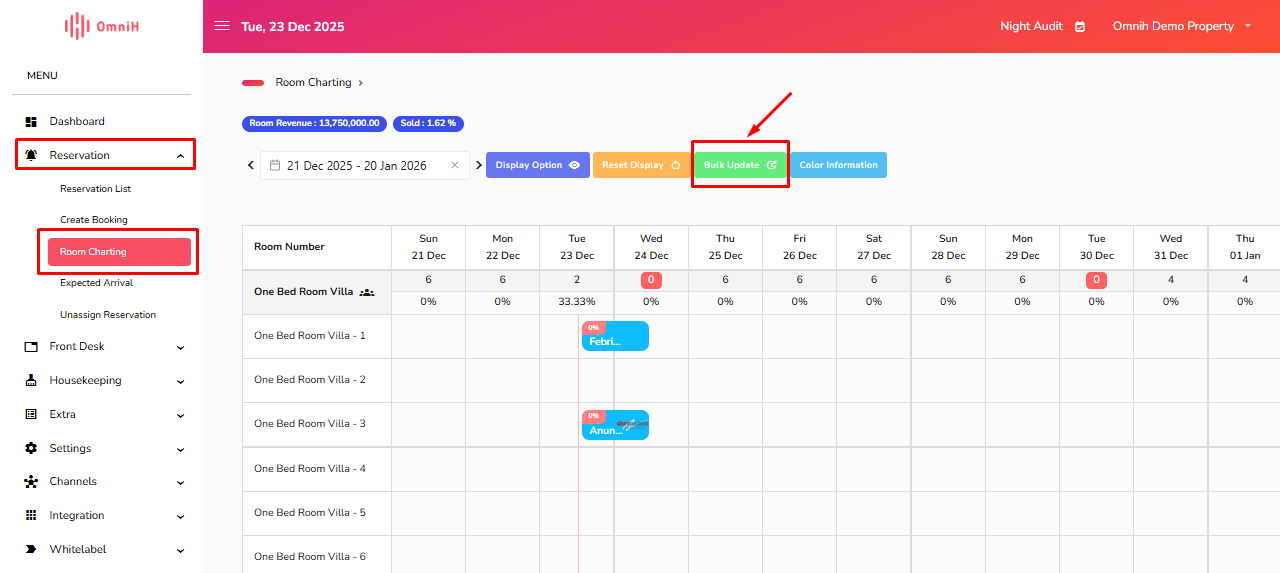
1. Masuk ke menu Reservation - Room Charting - Bulk Update.
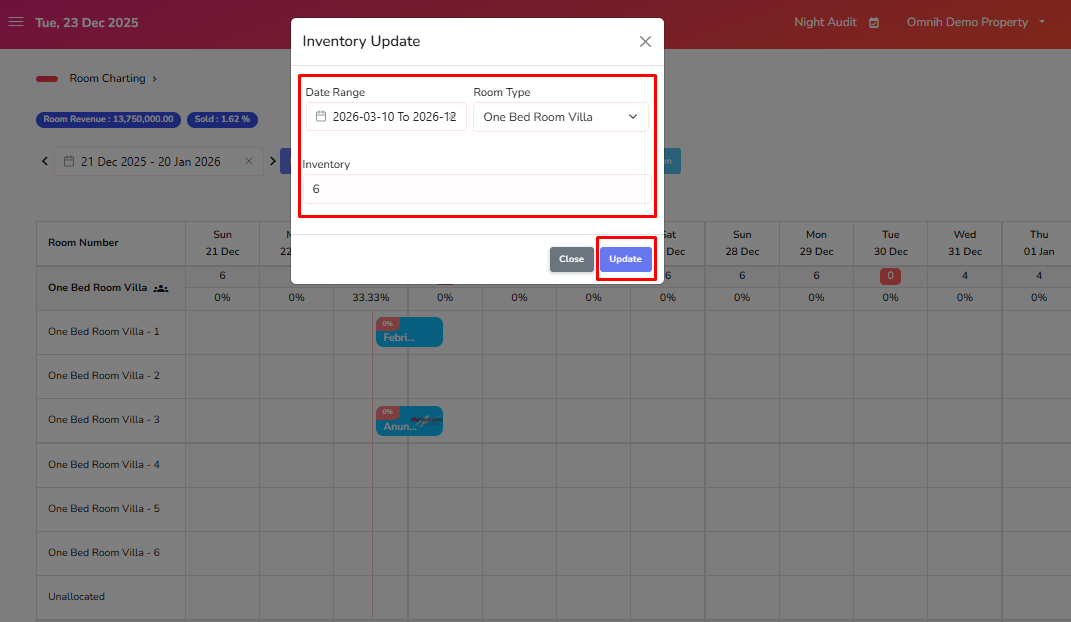
2. Kemudian sesuaikan kembali untuk Date Range, Room Type dan Inventory, apabila sudah sesuai klik Update.
Was this article helpful?
That’s Great!
Thank you for your feedback
Sorry! We couldn't be helpful
Thank you for your feedback
Feedback sent
We appreciate your effort and will try to fix the article